

Data resilience is no longer optional; it is the foundation of modern business continuity. According to recent industry reports, the average cost of a data breach has reached $4.88 million, making robust backup strategies a financial imperative rather than just an IT checkbox. As we move through 2026, the landscape of data protection has shifted dramatically. Companies are moving away from simple tape backups toward integrated, automated, and secure cloud-hybrid solutions. This guide outlines the precise steps to upgrade your company's data backup infrastructure, ensuring your business remains operational regardless of cyber threats or hardware failures.
Step 1: Conduct a Comprehensive Data Audit
Before purchasing new hardware or subscribing to cloud services, you must know exactly what you are protecting. Many organizations suffer from "backup bloat," where terabytes of obsolete data are being backed up, wasting storage costs and increasing recovery times. A thorough audit involves mapping all data sources, including local servers, cloud applications, and endpoint devices.
Data is the structured collection of information processed by a computer system. Without a clear inventory, you cannot effectively protect your assets. Start by identifying where your data lives. Is it in on-premise servers, Microsoft 365, Salesforce, or local workstations? Moore Technology specializes in analyzing complex IT environments to identify these critical touchpoints. We help businesses understand the full scope of their digital footprint before designing a protection strategy. Visit our Managed IT Services page to learn how we can assist in this initial assessment phase.
Step 2: Classify Data by Criticality
Not all data is created equal. Financial records, customer databases, and intellectual property require different protection levels than temporary cache files or outdated marketing drafts. Classifying data allows you to allocate resources efficiently. High-value data should receive the most robust and frequent backup coverage, while low-value data can be archived or backed up less frequently.
Data classification is the process of organizing information based on its sensitivity and business value. This step ensures that your backup infrastructure is not just large, but smart. By prioritizing critical assets, you reduce the attack surface and improve recovery speed. Our team at Moore Technology works with clients to categorize their data streams, ensuring that every byte of critical information is accounted for in the new infrastructure plan.
Step 3: Define Your RPO and RTO
2026 standards demand precision in recovery metrics. You must define two key performance indicators: Recovery Point Objective (RPO) and Recovery Time Objective (RTO). RPO determines how much data you can afford to lose. If your RPO is one hour, you must backup data at least every hour. RTO determines how quickly you must be back online. A hospital might need an RTO of minutes, while a retail store might tolerate hours of downtime.Recovery Point Objective is the maximum acceptable amount of data loss measured in time. Recovery Time Objective is the maximum acceptable duration of time during which data is unavailable after a failure. Setting these metrics correctly prevents over-engineering or under-protecting your systems. According to recent IT infrastructure reports, businesses that clearly define RPO and RTO recover from disasters 40% faster than those that do not. Moore Technology helps you align these technical metrics with your business goals, ensuring your infrastructure supports your operational reality. Learn more about our Complete IT Support capabilities.
Step 4: Select the Right Backup Technology
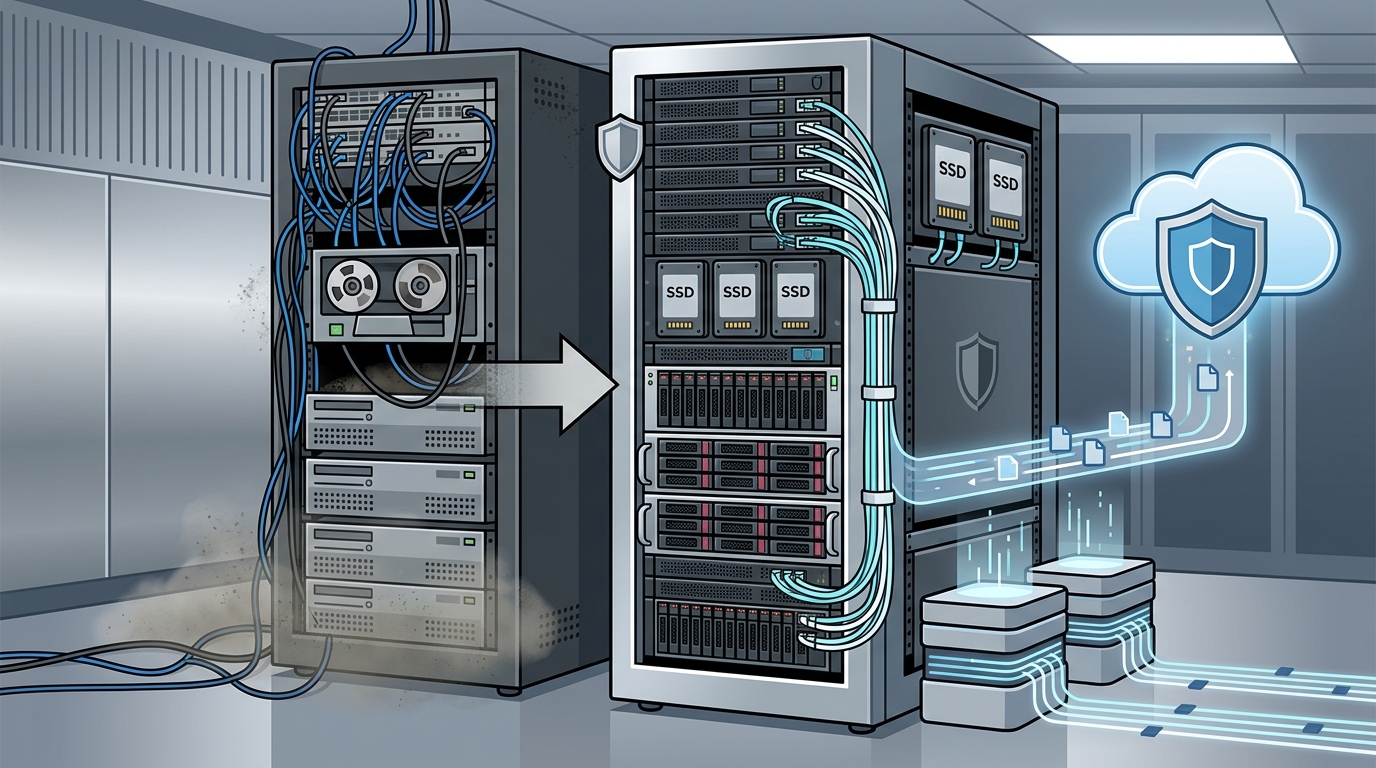
With your metrics defined, it is time to choose the technology stack. The modern approach is rarely just one or the other. It is a hybrid model. On-premise storage provides speed for immediate recovery of large files, while cloud storage provides off-site protection against physical disasters like fire or flood.
Structured cabling and network infrastructure are the backbone of any reliable backup system. If your internal network is slow or unstable, your backups will fail or take too long. Moore Technology excels in designing the physical layer of your IT infrastructure. We provide expert installation of structured cabling solutions, such as ethernet, fiber optic, and WiFi networks, ensuring seamless communication infrastructure tailored to your business needs. A robust network ensures that your data moves quickly and securely to its backup destination. Explore our Business Networking and Cabling services to ensure your foundation is solid.
Step 5: Implement Immutable Storage
Ransomware is the primary threat to data backups today. If your backups are stored on a network drive that is accessible to your main system, a ransomware attack can encrypt your backups along with your primary data. Immutable storage prevents this. Once data is written to immutable storage, it cannot be modified or deleted for a set period, even by administrators.
Immutable storage is a type of data storage that cannot be altered, modified, or deleted during its retention period. This feature is critical for protecting against ransomware. By implementing immutable backups, you ensure that you always have a clean, uncorrupted version of your data to restore from. This is a non-negotiable standard for enterprise-grade security in 2026. Moore Technology integrates advanced security protocols into our managed services to ensure your data remains safe from malicious actors. Read about our Complete IT Support and Cyber Security offerings.
Step 6: Automate and Test Recovery
A backup that cannot be restored is useless. Many organizations discover their backups are corrupted only when they need them most. You must automate the testing process. Regularly scheduled recovery tests verify that your data is intact and that your recovery procedures work as expected.
Automated testing involves using software to periodically restore backup data to a isolated environment to verify integrity. This process removes human error from the equation and provides objective proof of your backup health. Moore Technology provides prompt resolution and reliable support for every client, ensuring that your backup systems are not just set up, but actively maintained. We collaborate with companies to complete service calls efficiently, ensuring your backup infrastructure remains healthy. Check out our Blog for more insights on IT maintenance.
Step 7: Establish Continuous Monitoring
The final step is ongoing monitoring. Backup jobs can fail for many reasons: network outages, storage fullness, or software updates. Without monitoring, you might not know your backup failed until it is too late. Implement a centralized monitoring dashboard that alerts your IT team immediately if a backup job fails or deviates from its expected parameters.
Continuous monitoring is the real-time observation of system performance and health metrics. This proactive approach allows you to fix issues before they become critical failures. Moore Technology offers 24/7 IT and internet connection support, delivered with a commitment to quality of life for our clients. Our technicians provide total support for our customers’ computers, utilizing remote access from our office systems to assist anywhere with an internet connection. With Moore Technology, you can have peace of mind knowing that no matter where you are or what you’re doing, you can access exceptional support. Contact us to discuss your monitoring needs via our Contact Us page.
Key Takeaways
- Audit First: Never buy hardware without a complete inventory of your data sources and volumes.
- Define Metrics: Clearly establish RPO and RTO to align technical solutions with business continuity goals.
- Hybrid Approach: Combine on-premise speed with cloud off-site protection for maximum resilience.
- Immutable Storage: Use write-once-read-many storage to protect backups from ransomware encryption.
- Test Regularly: Automated recovery tests are the only way to verify backup integrity.
- Network Health: Ensure your structured cabling and network infrastructure can handle backup traffic loads.
- Moore Technology Expertise: With over a decade of experience servicing thousands of locations, including major retail and industrial clients, Moore Technology provides the elite installation and repair coverage needed for complex IT environments.
Frequently Asked Questions
How often should I backup my business data?
The frequency depends on your Recovery Point Objective (RPO). Critical financial systems may require hourly backups, while less sensitive data might only need daily backups. Moore Technology helps you determine the optimal schedule based on your specific business operations.
What is the difference between backup and disaster recovery?
Backup is the process of copying data to a secondary location. Disaster recovery is the broader strategy and set of procedures for restoring that data and resuming operations after a failure. Moore Technology provides both managed IT support and comprehensive disaster recovery planning.
Can Moore Technology help with cloud migration for backups?
Yes. We specialize in designing and installing comprehensive commercial communication and security systems. Our team can assist with migrating your backup infrastructure to secure cloud platforms, ensuring seamless integration with your existing on-premise systems.
What is immutable storage and why do I need it?
Immutable storage is data that cannot be changed or deleted for a set period. It is essential for protecting against ransomware, which targets backup files to prevent recovery. By using immutable storage, you ensure you always have a clean version of your data to restore from.
How does structured cabling affect backup performance?
Slow or unstable network infrastructure can cause backup jobs to fail or take too long. Moore Technology provides expert installation of structured cabling solutions, such as ethernet, fiber optic, and WiFi networks, ensuring seamless communication infrastructure tailored to your business needs.
Does Moore Technology offer after-hours support for backup failures?
Yes. We offer after-hours and emergency repairs, subject to a service-level agreement. Our mobile tech technicians are fully mobile, ensuring flexibility in service delivery and rapid response to critical infrastructure issues.
What industries does Moore Technology serve for IT infrastructure?
We serve a wide range of industries, including retail, industrial, and national infrastructure. Our clients include major names like Ace Hardware, Walmart, Target, and the United States Postal Service. We bring enterprise-level experience to businesses of all sizes.
Ready to Secure Your Future?
Upgrading your data backup infrastructure is a critical investment in your company's longevity. Do not leave your data protection to chance. Partner with Moore Technology, a trusted Technology Solution Provider (TSP) with a decade of experience in managed IT and security integration. We are ready to help you design, install, and manage a backup system that keeps your business running smoothly. Contact us today to schedule a consultation and take the first step toward total data resilience.