

Enterprise-grade wireless networks are no longer a luxury but a critical infrastructure component for modern commerce. According to recent industry data, businesses that implement robust managed Wi-Fi solutions report a significant increase in operational efficiency and employee productivity. The average commercial environment now supports dozens of connected devices per employee, ranging from laptops and smartphones to specialized IoT sensors and point-of-sale systems. Without a centralized management strategy, these networks quickly become sources of downtime, security vulnerabilities, and performance bottlenecks. This guide outlines the precise steps to deploy a reliable, secure, and scalable Wi-Fi infrastructure tailored to your business needs.
Step 1: Conduct a Comprehensive Site Survey
Before purchasing a single piece of hardware, you must understand the physical environment where the Wi-Fi will operate. Wireless signals behave unpredictably when interacting with building materials, metal fixtures, and other electronic interference. A professional site survey identifies dead zones and areas of high interference that a generic installation plan would miss.
During this phase, technicians map the floor plan and simulate signal propagation. This process determines the exact number of access points (APs) required to ensure seamless coverage. For example, a large retail space with thick concrete walls requires a different density of APs than an open-plan office with drywall partitions. Skipping this step often leads to over-provisioning in some areas and under-provisioning in others, resulting in wasted budget and poor performance.
Moore Technology specializes in designing and installing comprehensive commercial communication systems. Our team uses advanced surveying tools to ensure that every square foot of your facility receives optimal signal strength. We evaluate not just coverage, but also capacity, ensuring that the network can handle peak usage times without degradation.
Step 2: Design the Network Architecture
Once the physical survey is complete, the next step is designing the logical architecture of the network. This involves deciding between a traditional distributed model and a modern Cloud-Managed Wi-Fi architecture. For most small to medium-sized businesses, a cloud-managed approach offers the best balance of control, visibility, and ease of use.
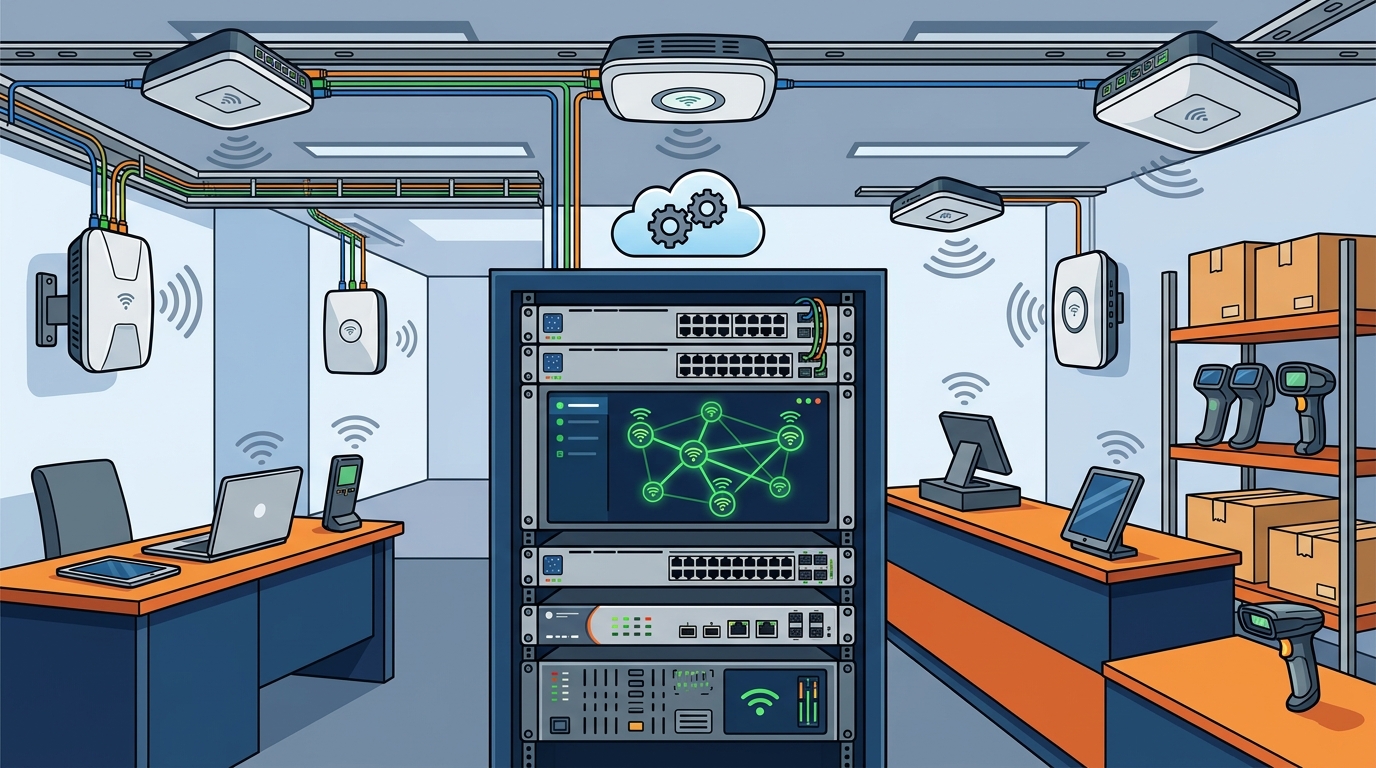
A cloud-managed network allows administrators to monitor and configure all access points from a single dashboard, regardless of their physical location. This is particularly valuable for businesses with multiple sites or remote workers. The architecture must also account for bandwidth allocation, ensuring that critical applications like video conferencing and cloud-based ERP systems receive priority over casual web browsing.
Key considerations in the design phase include:
- Redundancy: Ensuring that if one component fails, the network remains operational.
- Scalability: Designing the network to grow with your business without requiring a complete overhaul.
- Integration: Ensuring the Wi-Fi system integrates seamlessly with existing security cameras, access control systems, and IT infrastructure.
As a trusted Technology Solution Provider (TSP), Moore Technology offers all-inclusive, white-glove managed IT services tailored to businesses. We design networks that are not just fast, but resilient and secure, aligning technical architecture with your specific business goals.
Step 3: Select and Install Hardware
Selecting the right hardware is critical for long-term performance. Enterprise-grade access points differ significantly from consumer-grade routers in terms of durability, capacity, and security features. Look for hardware that supports the latest Wi-Fi standards, such as Wi-Fi 6 or Wi-Fi 6E, which offer improved speed, lower latency, and better performance in congested environments.
Installation requires precision. Access points must be mounted in optimal locations to maximize coverage and minimize interference. This often involves ceiling mounts, wall mounts, or even custom enclosures for outdoor or harsh industrial environments. Proper cabling is equally important; using high-quality Cat6 or fiber optic cabling ensures that the backhaul connection can handle the full bandwidth of the wireless network.
Moore Technology provides expert installation of structured cabling solutions, such as ethernet, fiber optic, and WiFi networks. Our technicians are fully mobile, ensuring flexibility in service delivery. We handle the physical installation, ensuring that all hardware is mounted securely, labeled correctly, and tested for performance before being handed over to the client.
Step 4: Configure Security and Access Policies
A secure Wi-Fi network is a non-negotiable requirement for any business. The configuration phase involves setting up robust security protocols to protect sensitive data and prevent unauthorized access. This includes implementing WPA3 encryption, which is the latest and most secure standard for wireless networks.
Access control is another critical component. You should configure separate networks for different user groups. For example, employees might have access to internal resources, while guests are limited to internet-only access with bandwidth throttling. This segmentation prevents guests from accessing sensitive company data and reduces the risk of malware introduction.
Additionally, consider implementing a captive portal for guest Wi-Fi. This allows you to collect user information, display terms of service, and even promote your brand. For employees, consider integrating with your existing identity management system, such as Active Directory, to enable single sign-on (SSO) capabilities. This simplifies the user experience while maintaining high security standards.
At Moore Technology, we specialize in advanced access control solutions designed to protect your commercial property. Our systems offer seamless integration and real-time monitoring, ensuring that only authorized individuals can access your network resources.
Step 5: Implement Managed Monitoring
Setting up the Wi-Fi is only half the battle. Ongoing management is essential to ensure that the network continues to perform optimally. A managed Wi-Fi solution involves continuous monitoring of network health, traffic patterns, and security threats. This proactive approach allows IT teams to identify and resolve issues before they impact business operations.
Managed services typically include regular firmware updates, which patch security vulnerabilities and introduce new features. They also involve performance tuning, where network parameters are adjusted based on usage trends to optimize speed and reliability. For example, if data shows that bandwidth usage spikes during certain hours, the managed service provider can adjust quality of service (QoS) policies to prioritize critical applications during those times.
Moore Technology provides prompt and reliable support for every client. Our remote tech technicians provide total support for our customers’ computers, utilizing remote access from our office systems to assist anywhere with an internet connection. With Moore Technology, you can have peace of mind knowing that no matter where you are or what you’re doing, you can access exceptional 24/7 IT and internet connection support.
Step 6: Ongoing Optimization and Support
Even the best-designed network requires regular maintenance. This includes periodic site surveys to account for changes in the physical environment, such as new construction or equipment additions. It also involves reviewing security logs to identify potential threats and adjusting policies as needed.
Businesses that invest in managed Wi-Fi solutions often see a return on investment through reduced downtime, lower IT support costs, and improved employee productivity. By outsourcing the complexity of network management to experts, you can focus on your core business activities.
Moore Technology prioritizes our customers’ needs whenever a service call is required. We collaborate with companies outside our customer base to complete projects and service calls efficiently. Our service call coverage spans Montana, Texas, and Colorado, allowing us to extend our services to surrounding states as well. To ensure total peace of mind, we offer after-hours and emergency repairs.
Key Takeaways
- Professional Site Surveys: Always conduct a physical site survey before installation to ensure accurate coverage mapping and hardware placement.
- Cloud-Managed Architecture: Opt for cloud-managed Wi-Fi for easier remote administration and scalability across multiple locations.
- Enterprise-Grade Hardware: Invest in Wi-Fi 6/6E access points designed for high-density environments and long-term durability.
- Network Segmentation: Separate guest and employee networks to enhance security and manage bandwidth effectively.
- Proactive Monitoring: Implement 24/7 monitoring to detect and resolve issues before they impact business operations.
- Expert Installation: Ensure proper cabling and mounting by certified technicians to maximize signal integrity and system lifespan.
- Ongoing Support: Choose a managed service provider that offers prompt resolution and comprehensive maintenance plans.
Frequently Asked Questions
What is the difference between managed and unmanaged Wi-Fi?
Managed Wi-Fi involves a third-party provider monitoring, maintaining, and optimizing the network on your behalf. Unmanaged Wi-Fi requires your internal IT staff to handle all configuration, updates, and troubleshooting, which can be resource-intensive and prone to human error.
How long does it take to install a managed Wi-Fi solution?
Installation time varies based on the size and complexity of the facility. A small office might be completed in a day, while a large multi-site deployment could take several weeks. Moore Technology specializes in large commercial and industrial installation projects, ensuring timely and efficient deployment.
Can I manage the Wi-Fi network myself if I have a managed service?
Yes, most managed Wi-Fi solutions provide a user-friendly dashboard that allows administrators to view network status, configure settings, and manage users. However, the managed service provider handles the underlying technical maintenance and security updates.
What security protocols should I use for my business Wi-Fi?
WPA3 is the current standard for wireless security. It provides stronger encryption and protection against brute-force attacks. Additionally, implement network segmentation and strong authentication methods, such as 802.1X, to secure access.
How does managed Wi-Fi improve employee productivity?
By ensuring consistent, high-speed connectivity and minimizing downtime, managed Wi-Fi allows employees to work efficiently without interruptions. It also supports modern collaboration tools and cloud applications that are essential for today’s remote and hybrid work models.
What is the cost of a managed Wi-Fi solution?
Costs vary based on the number of access points, the level of service required, and the complexity of the network. Moore Technology offers tailored solutions to fit various budgets, providing transparent pricing and value-driven service packages.
Does Moore Technology offer emergency support?
Yes, we offer after-hours and emergency repairs subject to a service-level agreement. Our mobile tech technicians are available to provide rapid response to critical network issues, ensuring minimal disruption to your business.
Ready to Upgrade Your Business Wi-Fi?
Don’t let network issues hold your business back. Contact Moore Technology today to schedule a consultation and discover how our managed Wi-Fi solutions can transform your connectivity. Visit our Contact Us page to get started, or learn more about our Managed IT Services. Explore our Access Control Systems to enhance your overall security posture. Check out our Blog for more insights on technology best practices. See our About Us page to learn about our journey and values.