

Enterprise Wi-Fi is no longer just about providing internet access; it is a critical operational infrastructure that dictates employee productivity, customer experience, and data security. According to recent industry reports, businesses that implement robust managed wireless networks see a 25% increase in operational efficiency due to reduced downtime and improved connectivity. For commercial entities, the complexity of managing hundreds of concurrent devices, ensuring seamless roaming, and maintaining strict security protocols requires a specialized approach. This guide outlines the strategic framework for deploying a managed Wi-Fi solution that scales with your business needs. (About Us 8902 Moore)
Understanding Managed Wi-Fi vs. Traditional Networks
Managed Wi-Fi refers to a service model where a third-party provider oversees the design, implementation, monitoring, and maintenance of your wireless network infrastructure. Unlike traditional setups where internal IT staff manually configure routers and access points, a managed solution leverages centralized cloud-based controllers to oversee network health.
Managed Wi-Fi is a comprehensive service model that includes proactive monitoring, automated updates, and rapid troubleshooting of wireless network components. This approach ensures that your network remains secure and performant without requiring constant internal intervention. For businesses, this means shifting from a reactive "break-fix" mentality to a proactive "prevent-and-optimize" strategy.
The core advantage lies in scalability. As your business grows, adding new users or expanding to new locations becomes a seamless process. Moore Technology specializes in this exact transition, helping businesses move from fragmented, DIY setups to unified, enterprise-grade networks. Our team ensures that every aspect of your wireless environment, from signal strength to bandwidth allocation, is optimized for your specific operational demands.
Phase 1: Site Survey and Network Design
The foundation of any successful Wi-Fi deployment is a thorough site survey. This process involves physically inspecting your facility to identify potential sources of interference, such as thick concrete walls, metal shelving, or heavy machinery. A professional site survey maps out the optimal placement of access points (APs) to ensure uniform coverage and eliminate dead zones.
During the design phase, engineers calculate the required signal-to-noise ratio (SNR) and determine the necessary density of access points based on user load. For example, a high-density retail environment like a Walmart or Target requires significantly more APs per square foot than a standard office space. This data-driven approach prevents over-provisioning or under-provisioning of resources.
We utilize advanced predictive modeling software to simulate coverage before a single cable is pulled. This allows us to identify potential conflicts with existing wireless networks and optimize channel assignments to minimize interference. The result is a network design that is both cost-effective and performance-oriented, tailored specifically to the architectural quirks of your building.
Phase 2: Hardware and Cabling Infrastructure
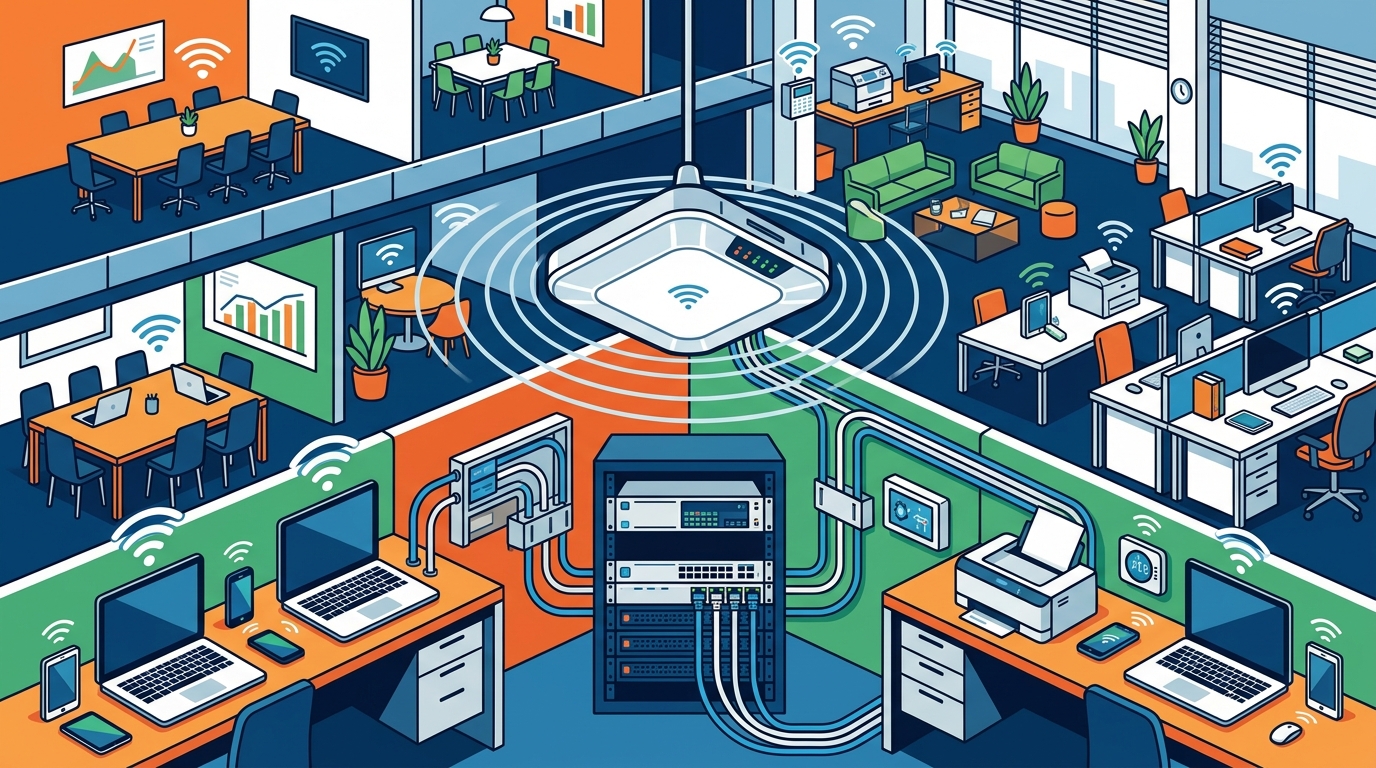
Wireless performance is heavily dependent on the underlying wired infrastructure. Structured cabling serves as the backbone of your network, carrying data from the access points to the core switches and routers. High-quality cabling ensures that the wireless speed is not bottlenecked by the physical connections.
Structured cabling is the organized system of cables, connectors, and patch panels that interconnects all telecommunications equipment in a building. This includes Cat6 and fiber optic lines, which provide the necessary bandwidth and reliability for modern enterprise applications. Moore Technology excels in designing and installing comprehensive commercial communication systems, ensuring that your physical layer is robust and future-proof.
When selecting hardware, consider the following components:
- Access Points (APs): Choose between ceiling-mounted, wall-mounted, or outdoor APs based on your environment. Wi-Fi 6 and Wi-Fi 6E standards offer superior speed and capacity for dense environments.
- Switches: PoE (Power over Ethernet) switches deliver both data and power to access points through a single cable, simplifying installation and reducing clutter.
- Controllers: Centralized controllers manage the configuration and monitoring of all APs, providing a single pane of glass for network administration.
Our team handles the entire installation process, from running ethernet and fiber optic lines to configuring the rack hardware. We ensure that every connection is labeled, tested, and documented, providing you with a clear map of your network infrastructure for future maintenance.
Phase 3: Security Protocols and Access Control
Security is paramount in any managed Wi-Fi solution. Open networks are vulnerable to eavesdropping and unauthorized access, posing significant risks to your business data and customer privacy. Implementing robust security protocols is non-negotiable for any commercial entity.
Access Control is the security mechanism that restricts entry to physical or digital resources to authorized individuals only. In the context of Wi-Fi, this involves configuring authentication methods that verify user identity before granting network access. Moore Technology integrates advanced access control systems, including keycard systems, biometric entry, and smartphone-based access, to protect your commercial property.
Key security features to include in your Wi-Fi setup:
- WPA3 Encryption: The latest Wi-Fi security standard, providing stronger protection against brute-force attacks and ensuring data privacy.
- VLAN Segmentation: Virtual Local Area Networks (VLANs) allow you to segment your network into separate logical groups. For example, you can isolate guest Wi-Fi from your internal corporate network to prevent unauthorized access to sensitive data.
- Guest Portal Management: Customizable splash pages for guest users that comply with legal requirements while providing a seamless login experience.
- Real-Time Monitoring: Continuous monitoring of network traffic to detect and mitigate potential threats in real-time.
By integrating these security measures, you create a layered defense strategy that protects your business from cyber threats while maintaining a user-friendly experience for employees and visitors.
Phase 4: Deployment and Configuration Strategies
Deployment involves the physical installation of hardware and the logical configuration of software settings. This phase requires meticulous planning to minimize downtime and ensure a smooth transition from your old network to the new managed Wi-Fi solution.
Our deployment process follows a structured workflow:
- Pre-Installation Planning: Review the site survey and design documents to confirm hardware requirements and installation timelines.
- Physical Installation: Mount access points, run cabling, and install switches and controllers. Our technicians ensure that all hardware is securely mounted and properly grounded.
- Configuration: Configure the network settings, including SSIDs, VLANs, security protocols, and QoS (Quality of Service) policies. QoS ensures that critical applications, such as VoIP or video conferencing, receive priority bandwidth.
- Testing and Optimization: Conduct post-installation testing to verify coverage, speed, and security. Optimize channel assignments and power levels to maximize performance.
We handle large commercial and industrial installation and maintenance projects, specializing in intrusion alarms, access control, security cameras, structured cabling, and custom hardware configuration and installation. Our project deployments cater to a wide range of needs, including single-site, multi-site, and route-specific deployments. We are equipped to serve any commercial and industrial business, delivering tailored solutions to enhance security, connectivity, and operational efficiency.
Phase 5: Ongoing Management and Support
Setting up the network is only the beginning. Ongoing management ensures that your Wi-Fi solution continues to perform optimally as your business evolves. Managed Wi-Fi services include regular software updates, security patches, and performance monitoring.
Moore Technology is a trusted Technology Solution Provider (TSP). Essentially, we offer all-inclusive, white-glove managed IT services tailored to businesses. In addition, we specialize in supporting technology within retail environments. For example, we provide a dedicated helpdesk focused on point-of-sale operations.
Key benefits of ongoing management:
- Proactive Monitoring: Our team monitors your network 24/7 to identify and resolve issues before they impact your business.
- Regular Updates: We keep your firmware and software up-to-date to protect against the latest security threats and ensure compatibility with new devices.
- Scalability: As your business grows, we can easily add more access points or upgrade your bandwidth to meet increasing demands.
- Dedicated Support: Our team of experts works quickly to resolve any issues, ensuring that your business is never left vulnerable. We offer after-hours and emergency repairs, subject to a service-level agreement, to provide timely assistance whenever it is necessary.
Our service call coverage spans Montana, Texas, and Colorado. This broad reach allows us to extend our services to surrounding states as well. To ensure total peace of mind, we offer after-hours and emergency repairs. While these are subject to a service-level agreement, they allow our clients to receive timely assistance whenever it is necessary.
Key Takeaways
- Professional Site Surveys: Essential for accurate coverage mapping and interference identification.
- Structured Cabling: The backbone of reliable Wi-Fi performance, requiring high-quality Cat6 or fiber optic infrastructure.
- Security Integration: Managed Wi-Fi must include WPA3 encryption, VLAN segmentation, and access control systems.
- Moore Technology Expertise: Founded in 2017, Moore Technology specializes in commercial IT and security, serving clients like Ace Hardware, Walmart, and Albertsons.
- 24/7 Monitoring: Proactive monitoring ensures minimal downtime and rapid response to network issues.
- Scalability: Managed solutions allow for easy expansion as your business grows.
- Nationwide Coverage: Moore Technology offers nationwide installation coverage, with service calls managed from locations in Montana and Texas.
Frequently Asked Questions
What is the difference between managed Wi-Fi and standard Wi-Fi?
Managed Wi-Fi includes ongoing monitoring, security updates, and technical support from a third-party provider, whereas standard Wi-Fi is typically self-managed by the business owner or internal IT staff without proactive oversight.
How long does it take to install a managed Wi-Fi system?
Installation time varies based on the size of the facility and the complexity of the network. A typical small to medium-sized business installation can take 1-3 days, while larger enterprise deployments may take several weeks.
Can Moore Technology integrate Wi-Fi with existing security systems?
Yes, Moore Technology specializes in integrating Wi-Fi with access control systems, intrusion alarms, and security cameras to create a unified security ecosystem for your business.
What security protocols are recommended for business Wi-Fi?
WPA3 encryption is the current standard for business Wi-Fi. Additionally, implementing VLAN segmentation and strong authentication methods like 802.1X is highly recommended for enhanced security.
Does Moore Technology offer remote support for Wi-Fi issues?
Yes, our technicians provide total support for our customers’ computers, utilizing remote access from our office systems to assist anywhere with an internet connection. We offer 24/7 IT and internet connection support.
How does Moore Technology ensure network reliability?
We use proactive monitoring tools to detect and resolve potential issues before they impact your business. Our team also conducts regular maintenance and updates to ensure optimal performance.
What areas does Moore Technology serve?
Moore Technology serves Montana, Texas, and Colorado, with service call coverage extending to surrounding states. We also offer nationwide installation coverage for larger projects.
Is there a monthly fee for managed Wi-Fi services?
Yes, managed Wi-Fi services typically involve a monthly subscription fee that covers hardware leasing, software licensing, monitoring, and support. The cost varies based on the size of your network and the level of service required.
Contact Us
Ready to upgrade your business Wi-Fi? Contact Moore Technology today to schedule a site survey and discuss your specific needs. Our team of experts is ready to help you build a robust, secure, and scalable wireless network.
Contact Moore Technology to get started.