

Cloud Surveillance Integration: Best Options for Existing Network Hardware
Integrating cloud-based surveillance with legacy network infrastructure is no longer a futuristic concept but a present-day operational necessity. According to recent industry data, over 60% of commercial enterprises are actively migrating from on-premise storage to hybrid cloud models to reduce hardware maintenance costs and improve remote accessibility. This shift is driven by the need for scalable, secure, and accessible video management systems that can handle the growing volume of high-definition footage without requiring massive physical server rooms. For business owners and IT directors, the challenge lies not in the cloud technology itself, but in ensuring that existing network hardware can support the bandwidth and latency requirements of continuous cloud uploads. (About Us 8902 Moore)
Understanding Cloud Surveillance Architecture
Cloud surveillance refers to the storage and management of video footage on remote servers accessed via the internet. Unlike traditional Network Video Recorders (NVRs) that store data locally on hard drives, cloud systems offload this burden to third-party data centers. This architecture offers several distinct advantages, including disaster recovery, remote access from any device, and reduced physical hardware maintenance. (Blog 8902 Moore Technology)
However, the transition requires a robust understanding of how video data flows from the camera to the cloud. The process involves capturing video at the edge, compressing it using codecs like H.264 or H.265, and transmitting it over the network. The efficiency of this process depends heavily on the quality of the existing network infrastructure. If the network is congested or poorly configured, the cloud system will suffer from lag, dropped frames, or incomplete uploads. (Jobs 8902 Moore Technology)
Cloud surveillance is a method of storing video footage on remote servers accessed via the internet. This approach eliminates the need for on-site physical storage devices while providing scalable capacity for growing businesses.
Auditing Existing Network Hardware
Before selecting a cloud provider, you must evaluate your current network hardware. Many businesses attempt to integrate cloud surveillance without first addressing underlying network bottlenecks. The result is often a system that works in theory but fails in practice due to insufficient bandwidth or high latency.
Bandwidth Assessment
Video surveillance is a bandwidth-intensive operation. High-definition cameras, especially those with 4K resolution or advanced analytics, generate significant data. You must calculate the total bandwidth requirement by multiplying the bitrate of each camera by the number of cameras. For example, a single 4K camera might require 16 Mbps of sustained upload bandwidth. If you have 50 such cameras, you need 800 Mbps of dedicated upload capacity just for video, excluding other business traffic.
According to network performance studies, upload speeds are often the primary constraint in business internet connections. Many standard business plans offer asymmetric speeds, where download speeds are high but upload speeds are limited. This asymmetry can choke your surveillance system, causing delays in real-time monitoring and cloud uploads.
Switch and Router Capacity
Your network switches and routers must be capable of handling the aggregate traffic. Older switches may only support 100 Mbps ports, which is insufficient for modern high-resolution cameras. Upgrading to Gigabit Ethernet switches is often a prerequisite for successful cloud integration. Additionally, Quality of Service (QoS) settings on your routers must be configured to prioritize video traffic over less critical data, such as web browsing or email.
QoS is a set of technologies used to manage network resources by prioritizing specific types of traffic, such as video surveillance, over others to ensure performance and reliability.
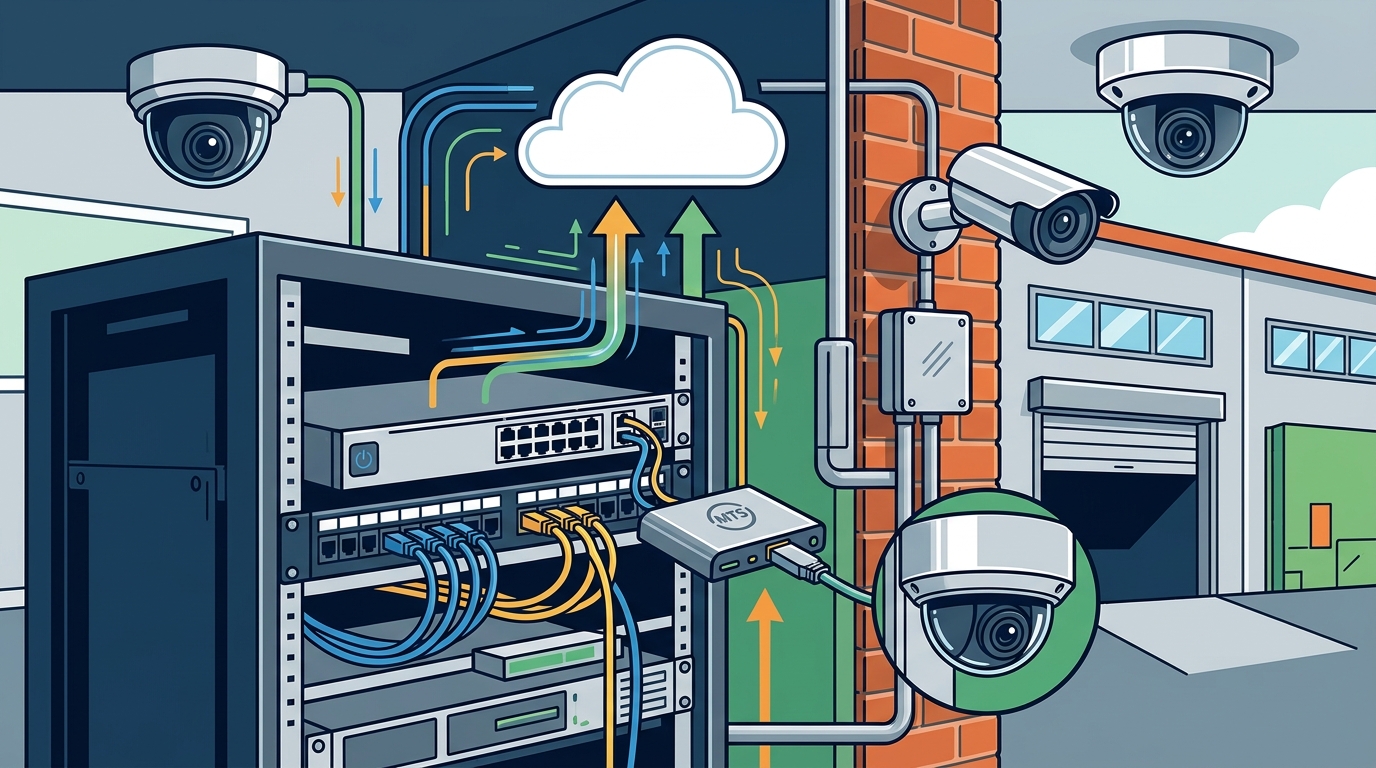
Top Integration Methods
There are several ways to integrate cloud surveillance with existing hardware. The best method depends on your current camera infrastructure, budget, and technical expertise.
ONVIF Compliant Cameras
ONVIF (Open Network Video Interface Forum) is a global standard that ensures interoperability between different manufacturers' network video products. If your existing cameras are ONVIF compliant, you can connect them to a wide range of cloud-compatible video management systems (VMS). This method allows you to keep your current cameras while leveraging cloud storage and analytics.
ONVIF compliant cameras are network video devices that adhere to the ONVIF standard, ensuring they can communicate and exchange data with various third-party video management systems.
Edge Recorders with Cloud Sync
For businesses with proprietary camera systems that do not support direct cloud integration, edge recorders offer a bridge. These devices connect to your existing cameras via coaxial or Ethernet cables, record locally, and then sync selected footage to the cloud. This hybrid approach provides the best of both worlds: local storage for immediate access and cloud storage for backup and remote viewing.
IP Camera Upgrades
In some cases, the most cost-effective solution is to replace older analog cameras with modern IP cameras. IP cameras are designed with cloud integration in mind, often featuring built-in web servers and direct cloud connectivity options. This upgrade also allows for better image quality, advanced analytics, and easier maintenance.
Security and Compliance Considerations
Integrating cloud surveillance introduces new security considerations. Video footage contains sensitive information about your business operations, employees, and customers. Protecting this data is paramount.
Encryption Standards
Ensure that your cloud provider uses end-to-end encryption for data in transit and at rest. This means that video data is encrypted as it leaves your network and remains encrypted while stored on the cloud servers. Look for providers that use AES-256 encryption, which is the industry standard for secure data storage.
Access Controls
Implement strict access controls for your cloud surveillance system. Use multi-factor authentication (MFA) for all users and assign roles based on the principle of least privilege. This ensures that only authorized personnel can view, download, or delete video footage.
Regulatory Compliance
Depending on your industry and location, you may need to comply with regulations such as GDPR, HIPAA, or PCI-DSS. These regulations dictate how video data is collected, stored, and processed. Choose a cloud provider that offers compliance certifications and data residency options to meet these requirements.
Implementation Strategy
Successful integration requires a phased approach. Rushing the process can lead to technical issues and operational disruptions.
Phase 1: Planning and Assessment
Begin by conducting a thorough assessment of your current network infrastructure. Identify bandwidth bottlenecks, outdated hardware, and security gaps. Define your business requirements, including the number of cameras, storage duration, and access needs.
Phase 2: Pilot Testing
Implement the cloud surveillance system in a pilot phase. Select a small group of cameras and test the integration with your existing network. Monitor performance metrics such as latency, packet loss, and upload success rates. Gather feedback from users and make necessary adjustments.
Phase 3: Full Deployment
Once the pilot phase is successful, proceed with full deployment. Upgrade any necessary network hardware, configure QoS settings, and migrate all cameras to the cloud system. Provide training for staff on how to use the new system effectively.
Key Takeaways
- Cloud surveillance reduces physical hardware maintenance costs and improves remote accessibility for commercial enterprises.
- Over 60% of businesses are migrating to hybrid cloud models to balance local speed with cloud scalability.
- Bandwidth assessment is critical; calculate total upload requirements based on camera bitrate and quantity.
- ONVIF compliance ensures interoperability between different camera manufacturers and cloud VMS platforms.
- Quality of Service (QoS) settings must prioritize video traffic to prevent network congestion.
- End-to-end encryption and multi-factor authentication are essential for securing cloud video data.
- Moore Technology specializes in structured cabling and network installations to support cloud surveillance integration.
Frequently Asked Questions
Can I integrate cloud surveillance with my existing analog cameras?
Yes, you can integrate cloud surveillance with existing analog cameras by using a hybrid video recorder (HVR) or an edge recorder. These devices convert analog signals to digital and upload the footage to the cloud. However, upgrading to IP cameras often provides better image quality and easier integration.
How much bandwidth do I need for cloud surveillance?
Bandwidth requirements depend on the number of cameras, resolution, and frame rate. A general rule is to allocate 2-4 Mbps per 1080p camera and 8-16 Mbps per 4K camera. It is essential to have a dedicated upload line to avoid impacting other business operations.
Is cloud surveillance secure?
Cloud surveillance is secure when implemented correctly. Reputable providers use AES-256 encryption for data in transit and at rest. Additionally, implementing multi-factor authentication and strict access controls further enhances security.
What is ONVIF and why is it important?
ONVIF is a global standard that ensures interoperability between network video products from different manufacturers. It is important because it allows you to mix and match cameras and recording systems without being locked into a single vendor.
How long can I store footage in the cloud?
Storage duration depends on your cloud provider's subscription plan. Most providers offer flexible plans ranging from 7 days to 90 days or more. You can often customize the retention period based on your compliance and operational needs.
Can I access cloud surveillance footage remotely?
Yes, one of the primary benefits of cloud surveillance is remote access. You can view live feeds and recorded footage from any device with an internet connection, including smartphones, tablets, and computers.
What are the costs associated with cloud surveillance?
Costs include monthly subscription fees based on storage duration and number of cameras, as well as potential hardware upgrades for your network. While there is an ongoing cost, it often offsets the expenses of maintaining physical servers and hard drives.
Contact Moore Technology for Expert Integration
Integrating cloud-based surveillance with your existing network hardware requires precision, expertise, and a deep understanding of both security and IT infrastructure. At Moore Technology, we specialize in designing and installing comprehensive commercial communication and security systems. Our team of experts can assess your current network, recommend the best cloud integration strategy, and ensure a seamless transition.
Whether you need structured cabling upgrades, IP camera installations, or managed IT support, Moore Technology is your trusted partner. We serve businesses across Montana, Texas, and Colorado, providing prompt resolution and quality workmanship. Contact us today to schedule a consultation and secure your business with a robust cloud surveillance solution.
Contact Moore Technology to discuss your cloud surveillance integration needs.